
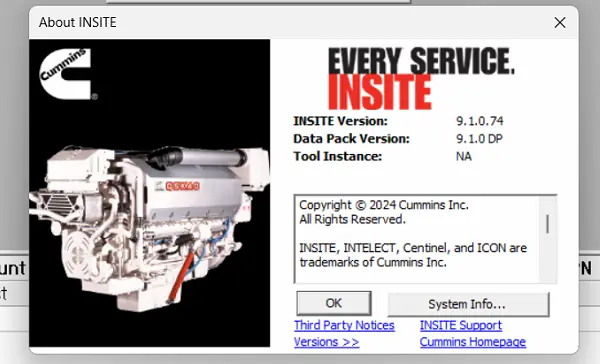
Cummins INSITE PRO 9.1–10.0
150,00 $
Tax included.
Pay with PayPal or with a debit / credit card. The card option appears at checkout.
Which adapter do I need? See the adapter table
Technical details
- Brand: Cummins;
- Format: Offline version;
- Type: Diagnostic Software;
- Operating system: Windows 10/11 x64;
- Adapter: Cummins INLINE 7 or an RP1210 adapter;
- Instructions: Included in the package;
- Installation: 1 PC.
Cummins INSITE PRO (versions 9.1–10.0) is the electronic service tool Cummins dealers and distributors use to diagnose, test and set up Cummins electronic engines. It connects to the engine control module through an INLINE adapter and shows fault codes with troubleshooting guidance, live data, trip information and engine settings. The PRO level gives you the full set of service features rather than the limited Lite level. We install INSITE on your Windows laptop remotely and help you connect your adapter.
Which INSITE version you get: 9.1 or 9.3–10.0
We do not sell one fixed build — we install the version that fits your work, and we ask before installation:
- INSITE 9.1 — can perform ECM calibration (download a calibration to the engine control module). Choose it if you need to calibrate or reprogram ECMs.
- INSITE 9.3–10.0 — newer releases for diagnostics, data monitoring, service tests and parameter changes, but they cannot perform calibration.
Before installing we also check which engines you work with, your adapter and your Windows version, so the release we pick actually works on your jobs.
More details: Cummins INSITE 9.1 vs 9.3–10.0 — which version can calibrate.
What Cummins INSITE does
Every modern Cummins engine, from the ISB and ISL to the X15, B6.7 and L9, reports faults through its ECM. A dash lamp tells you that something is wrong; INSITE tells you what is wrong, when it started and what to check first. It also shows all the parameters the ECM uses, so you can watch boost pressure, rail pressure, EGR flow or DPF differential pressure while the engine runs and see where a reading goes out of range.
INSITE is not only a code reader. It runs the service tests a technician needs after repairs and allows you to adjust the engine’s customer features. Fleet owners use its trip and maintenance data to plan oil changes, monitor fuel economy and see how drivers operate the trucks.
Main features of INSITE PRO
- Fault codes — active and inactive, with counts, timestamps and snapshot data, plus links to troubleshooting trees.
- Data Monitor/Logger — watch dozens of parameters live, build custom groups, log data and replay it later.
- ECM diagnostic tests — cylinder cutout, cylinder performance, injector tests, fan and EGR valve tests, VGT actuator test and aftertreatment tests including stationary regeneration.
- Features and parameters — road speed governor, cruise control, idle shutdown, PTO, engine brake and other customer-adjustable settings.
- Trip information — fuel used, idle time, distance and duty cycle.
- Audit trail — a record of changes made to the ECM.
- Work orders and image files — save the ECM image before and after work for your records.
- Simulator mode — explore screens and train new technicians without a connected engine.
Supported engines
INSITE covers Cummins electronic engines for on-highway trucks, buses, pickups, construction and agricultural equipment, marine and power generation: ISB, ISC, ISL, ISM, ISX, X12, X15, B4.5, B6.7, L9, QSB, QSC, QSL, QSM, QSX, QSK and others. That means you can use it on Freightliner, Kenworth, Peterbilt, International, Ram, Case, Komatsu, JCB and many other machines with Cummins power.
Typical jobs
- Finding the cause of derate, low power or excessive DPF regenerations.
- Running a forced or stationary regeneration after aftertreatment repairs.
- Cylinder cutout and performance tests to find a weak injector.
- Adjusting road speed limits or idle shutdown for a fleet.
- Saving ECM images and trip data before and after service.
System requirements and adapter
Windows 10 or 11, 64-bit, 8 GB RAM and about 15 GB of free disk space. INSITE works with the Cummins INLINE 7 and INLINE 6 adapters and with many RP1210-compliant adapters. We will check that your adapter is detected during installation.
Delivery
Remote installation on your Windows laptop by our technician via TeamViewer or AnyDesk, including adapter drivers and a connection test. Offline version, no time limit, one PC. How delivery works.
Related Cummins software and catalogs
- Cummins PowerSpec 10
- Cummins Calterm 5.16 (2024)
- Cummins InPower PRO 15 (2024)
- Cummins QuickServe 2016/2017 – Offline
Frequently asked questions
What is the difference between INSITE Lite and PRO?
Lite mainly reads codes and data. PRO adds service tests, parameter and feature changes and full troubleshooting, which is what a workshop needs. ECM calibration is available in version 9.1.
Which adapter works with Cummins INSITE?
Cummins INLINE 7 and INLINE 6 work best. Many RP1210 adapters, such as Nexiq USB-Link, also connect.
Can INSITE run a forced DPF regeneration?
Yes, the aftertreatment tests include stationary (parked) regeneration on engines that support it.
Can I use INSITE on Cummins engines in construction machines?
Yes. QSB, QSC, QSL, QSM, QSX and QSK engines in excavators, loaders, cranes and generators are supported.
2 reviews for Cummins INSITE PRO 9.1–10.0
You may also like
-
Sale!
 Cummins
 InPower PRO 15 (2024)
Original price was: 100,00 $.85,00 $Current price is: 85,00 $. Add to cart -
 Detroit Diesel
 DiagnosticLink 8.24 – Offline, with DDCT + DDRS Option
Price range: 85,00 $ through 125,00 $ Select options This product has multiple variants. The options may be chosen on the product page -
 Caterpillar
Cat Lift Truck Diagnozer 3.90
50,00 $ Add to cart -
 Mercedes-Benz
 Xentry PassThru 2025 Diagnostic Software
99,99 $ Add to cart


Mick –
Thanks to the guys from SMO. After the purchase, they contacted me within an hour and helped me install the program through team viewer.
Everything works well, great service!
Oliver –
The software is easy to learn and use.